AMI Flasher is a utility program that helps you to update your BIOS - the code that runs the first moment you boot your PC. It was created by AMI to support flashing AMI BIOS based data files.
The BIOS code is stored on the motherboards on Flash chips since its introduction in 1993.
Over the years AMI has released DOS, Windows and Linux based flashers for different versions of AMI BIOS and AMI UEFI BIOS.
The DOS based versions can't be run from Windows or other operating systems. You'll need to create a bootable DOS disk.
Please read our How to flash your bios FAQ to correctly use the AMI Flashers.
AMI AFUDOS Flasher - DOS based AMI BIOS Firmware Update flasher
The following AMI Flasher tools can be used on AMI BIOS Core releases Aptio 3, 4, 4.5, and 5
AMI AFUDOS Flasher - DOS based AMI BIOS Firmware Update flasher
| AMI AFUDOS Flasher version | Notes |
|---|---|
| ">AFUDOS Flasher |
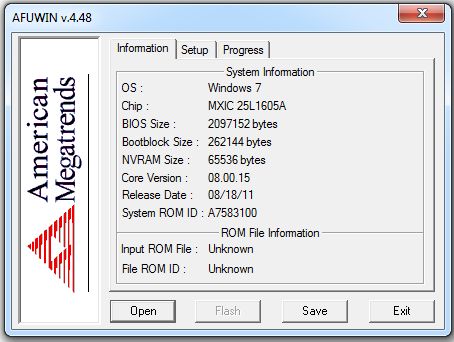
AMI AFUWIN Flasher - Windows based AMI BIOS Firmware Update flasher
The following AMI Flasher tools can be used on AMI BIOS Core releases Aptio 3, 4, 4.5, and 5
AMI AFUWIN Flasher - Windows based AMI BIOS Firmware Update flasher
| AMI AFUWIN Flasher version | Notes |
|---|---|
| ">AFUWIN Flasher |
AMI AFULNX Flasher - Linux based AMI BIOS Firmware Update flasher
The following AMI Flasher tools can be used on AMI BIOS Core releases Aptio 3, 4, 4.5, and 5
AMI AFULNX Flasher - Linux based AMI BIOS Firmware Update flasher
| AMI AFULNX Flasher version | Notes |
|---|---|
| ">AFULNX Flasher |
AMI AFUEFI Flasher - EFI shell based AMI BIOS Firmware Update flasher
The following AMI Flasher tools can be used on AMI BIOS Core releases Aptio 3, 4, 4.5, and 5
AMI AFUEFI Flasher - EFI shell based AMI BIOS Firmware Update flasher
| AMI AFUEFI Flasher version | Notes |
|---|---|
| ">AFUEFI Flasher |
AMI Flasher - DOS based AMI BIOS flasher
The following AMI Flasher tools can be used on AMI BIOS Core release 6.31 or earlier.
AMI Winflash - AMI Flasher (Windows based)
The following AMI Flasher tools can be used on AMI BIOS Core release 6.31 or earlier.
The Flasher utilities are copyrighted by their respective owners.
<%@ include file="/includes/googlesearch.jsp" %>